
How to Scale and Optimize Solutions with Azure
Apply Azure scaling and optimization patterns to production systems
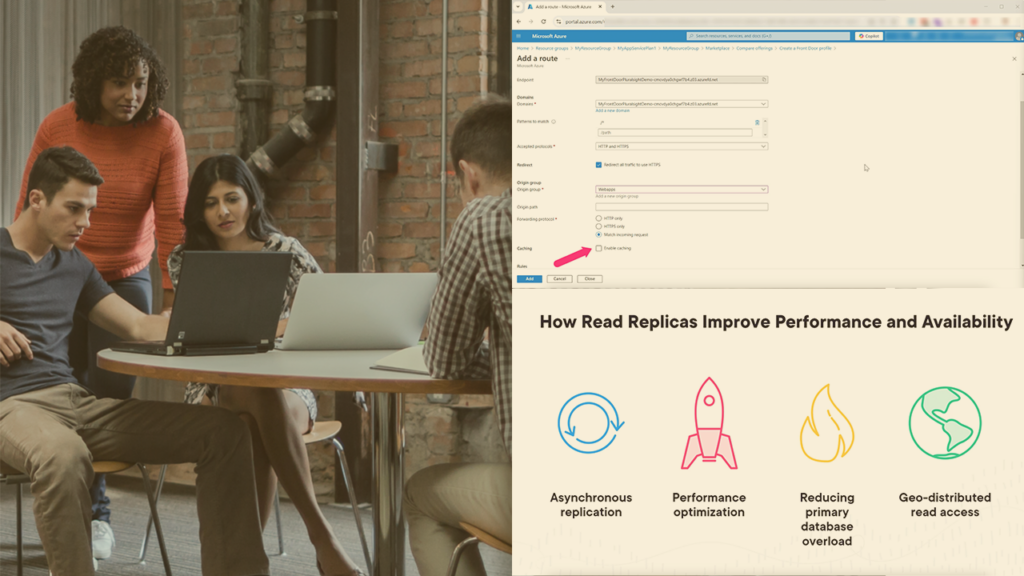
How to Scale and Optimize Solutions with Azure is a focused, demo-driven course that helps architects and engineers translate scalability and performance goals into concrete Azure design choices. It emphasizes practical patterns—load balancing and traffic routing with Azure Load Balancer, Traffic Manager, and Front Door; serverless autoscaling with Azure Functions; caching with Azure Cache for Redis; and database scaling techniques such as Cosmos DB partitioning and Azure SQL read replicas—that you can apply directly to production systems.
Through concise walkthroughs and real-world demos, the course ties architecture decisions to measurable outcomes like reduced latency, improved throughput, and more resilient failure handling. Learners will find clear, actionable guidance for implementing serverless patterns, caching strategies, and database optimizations that make cloud workloads scale efficiently on Azure.
At a Glance
How to Scale and Optimize Solutions with Azure is a focused Pluralsight course taught by JS Padoan that covers designing distributed architectures, serverless scaling, caching strategies, and database optimization on Azure. It emphasizes practical demos and architecture patterns aimed at building resilient, high-performance cloud solutions.
| Level | Advanced |
| Rating | 4.5 out of 5 |
| Duration | 1+ hour |
| Languages | English |
| Certificate | Certificate of completion |
| Access | Access for as long as your subscription is active |
| Course includes |
|
| Price | Subscription-based — access included with Pluralsight individual or business plans; free trial available |
What This Course Teaches
Learners will finish the course able to apply concrete Azure scaling and optimization techniques to real cloud architectures. The outcomes are presented as actionable competencies you can perform, including designing resilient systems, implementing traffic distribution and serverless scaling, applying caching, and optimizing databases for high-traffic workloads.
How the Course Is Structured
The course is organized into four focused modules comprising twenty short lessons and demonstrations, with roughly one hour of total runtime. Each module groups concise lectures and demo walkthroughs so you can consume the material in short sessions.
Curriculum overview
01 Designing Scalable Architectures with Azure Load Balancing ▾
Introduces Azure load balancing options and demos for deploying and configuring Load Balancer, Traffic Manager, and Front Door to distribute traffic.
02 Scaling Applications with Serverless Architectures ▾
Covers serverless scaling patterns with demos deploying Azure Functions and Durable Functions to demonstrate autoscaling and workflow designs.
03 Enhancing Performance with Caching Strategies ▾
Explains why caching is essential and demonstrates implementing Azure Cache for Redis plus cache optimization best practices.
04 Optimizing Database Solutions for Scale and Performance ▾
Walks through database scaling challenges with demos on Cosmos DB partitioning, Azure SQL read replicas, and workload-specific optimizations.
Audience & Requirements
The course is aimed at experienced Azure practitioners — solutions architects, senior cloud engineers, and DevOps/SREs — who need practical, demo-driven patterns for scaling and optimizing production systems on Azure. It is also appropriate for technical leads and developers who are responsible for performance, resilience, and architecture decisions for high-traffic applications.
- Solutions architects and cloud architects designing distributed Azure systems.
- Senior developers and cloud engineers building scalable applications.
- DevOps engineers and SREs focused on autoscaling and reliability.
- Technical leads planning performance and optimization strategies for production workloads.
- Comfort with Azure fundamentals (compute, networking, storage) and cloud concepts.
- Practical experience with distributed systems, networking basics, and database concepts.
- Access to an Azure subscription is recommended to follow the hands-on demos.
- Familiarity with the Azure Portal or Azure CLI to replicate deployment walkthroughs.
Final Verdict
This is a practical, high‑value short course for experienced Azure practitioners who need targeted, demo-driven guidance on scaling and optimization. Its concise structure and hands‑on demos make it a quick way to pick up immediately applicable patterns without a large time investment.
Given its positive reception and inclusion in a major subscription library, it represents good value for professionals and teams who already use that platform. The certificate and always‑available access under the subscription model make it convenient for continuing education, but learners seeking deep, lab‑intensive training should treat this as a focused supplement rather than a comprehensive replacement.


 LinkedIn Learning
 Codecademy
 DataCamp