Node.js 12: Getting Started
Build server-side JavaScript skills with practical Node.js lessons
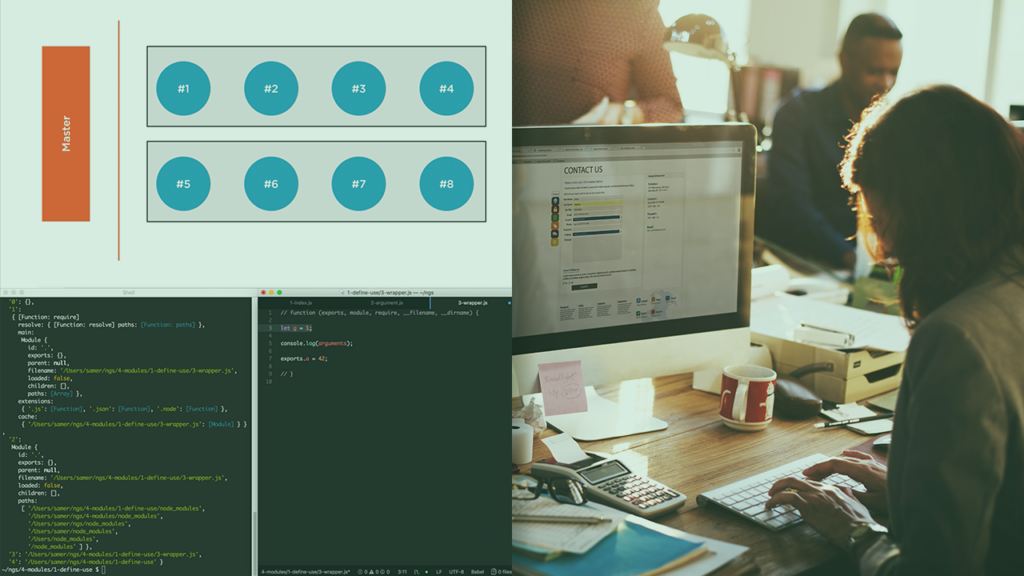
This course introduces the Node.js runtime and practical server-side JavaScript techniques for building backend services. It covers core runtime APIs, npm-based package management, the event-driven model, and modern JavaScript language features that are useful when writing server code.
Through concise, example-driven lessons you should gain the ability to create and run simple HTTP servers, manage project dependencies, and apply Node’s built-in modules effectively, positioning you to move on to more advanced backend development.
At a Glance
Node.js 12: Getting Started is an introductory course that teaches the fundamentals of the Node.js runtime and how to write server-side JavaScript for backend services.
It is taught by Samer Buna and covers core Node tools, package management, the runtime’s APIs, and modern JavaScript features useful for building scalable back-end services.
| Level | Beginner |
| Rating | 4.6 out of 5 |
| Duration | 3+ hours |
| Languages | English |
| Certificate | Certificate of completion |
| Access | Access for as long as your subscription is active |
| Course includes |
|
| Price | Subscription-based, monthly or annual plans |
What This Course Teaches
This course frames its outcomes as practical, testable abilities you can use when building server-side JavaScript applications.
By the end of the course you should be able to build and maintain Node-based back-end services, manage packages and dependencies, and apply core runtime APIs and modern JavaScript features in real projects.
How the Course Is Structured
The course is organized as a sequence of short, focused modules that together form a compact introduction to Node.js; it is presented as a linear set of lecture clips rather than a project-based cohort.
Overall, the syllabus comprises 26 modules and totals about 3+ hours of instructional video.
Curriculum overview
01Course Overview▾
Introduces the course goals and what learners should expect to get from these modules.
02Version Check▾
Verifies the Node version used for the course and compatibility notes.
03Course Introduction▾
Sets expectations for the course scope and the primary topics to be covered.
04What Is Node?▾
Explains the Node.js runtime, its role in server-side JavaScript, and typical uses.
05Why Node?▾
Covers reasons to choose Node.js for backend services and its advantages for I/O-bound workloads.
06Some Analogies About Node▾
Uses analogies to clarify asynchronous behavior and the event-driven model.
07What You Get When You Install Node▾
Walks through the runtime components and command-line tools that come with a Node installation.
08Example Files▾
Describes the example project files provided for the course and how to access them.
09Node REPL & Execution▾
Introduces the REPL and basic ways to run JavaScript with Node for quick experiments.
10Modules & require▾
Explains how to organize code into modules and import/export functionality using CommonJS.
11Core APIs▾
Surveys important built-in modules such as fs, path, and os and how to use them effectively.
12Event-driven Concurrency▾
Describes the event loop and patterns for handling asynchronous I/O in Node applications.
13File System & Paths▾
Shows how to read, write, and manipulate files and directories from server-side code.
14Buffers & Streams▾
Covers handling binary data and streaming patterns for efficient I/O processing.
15HTTP Servers▾
Demonstrates building simple HTTP servers and routing basic requests without external frameworks.
16Networking & Requests▾
Explains client/server communication patterns and making outbound network requests from Node.
17Child Processes & OS Integration▾
Shows how to spawn subprocesses and interact with the host operating system from Node programs.
18Debugging & Tooling▾
Introduces debugging techniques and common development tools used with Node projects.
19What Exactly Is NPM?▾
Explains npm’s role in JavaScript package distribution and why package managers matter.
20The NPM Command▾
Demonstrates common npm CLI commands for installing, updating, and removing packages.
21The package.json and package-lock.json Files▾
Breaks down the metadata, dependency declarations, and lockfile role in reproducible installs.
22Semantic Versioning (SemVer)▾
Explains semantic versioning and how to reason about compatible upgrades and constraints.
23Installing & Using NPM Packages▾
Shows practical steps to add third-party packages to a project and require them in code.
24Creating & Publishing an NPM Package▾
Guides through packaging a module and the process to publish it to the npm registry.
25NPX, Run Scripts & Updates▾
Covers using npx, npm run scripts, and strategies for keeping dependencies up to date.
26Wrap Up▾
Summarizes key takeaways and suggests next steps for further learning with Node.js.
Audience & Requirements
This course is aimed at developers who want a practical, compact introduction to using Node.js to build server-side applications and tooling.
It targets programmers with basic JavaScript familiarity who want to transition to backend development, learn Node-specific workflows, or better manage npm packages and simple HTTP servers.
- Front-end developers transitioning to server-side JavaScript.
- Back-end newcomers seeking a practical Node introduction.
- Engineers who need to manage npm packages and project scripts.
- Developers wanting to build simple HTTP servers and integrate OS-level APIs.
- Basic familiarity with JavaScript syntax and asynchronous concepts.
- Ability to install and run Node.js and npm locally (admin privileges may be required).
- A code editor (Visual Studio Code or similar) and the course example files.
Final Verdict
Node.js 12: Getting Started delivers a concise, practical introduction that covers the core Node runtime, npm workflows, and common server-side APIs—making it a sensible first course for developers who already know basic JavaScript and want to begin building backend services. For front-end engineers and programmers new to server-side JavaScript, this course is a worthwhile, time-efficient way to gain immediately applicable Node skills.
Because it is offered on a major subscription platform with a completion certificate and downloadable example files, the course represents good value for learners who subscribe for ongoing access or companies purchasing team plans. If you need deeper, project-centered experience or up-to-date coverage of the latest Node releases, plan to follow this course with more hands-on or advanced material.


 LinkedIn Learning
 Codecademy