
Accessibility-First Design
Learn to design accessible digital experiences you can implement immediately
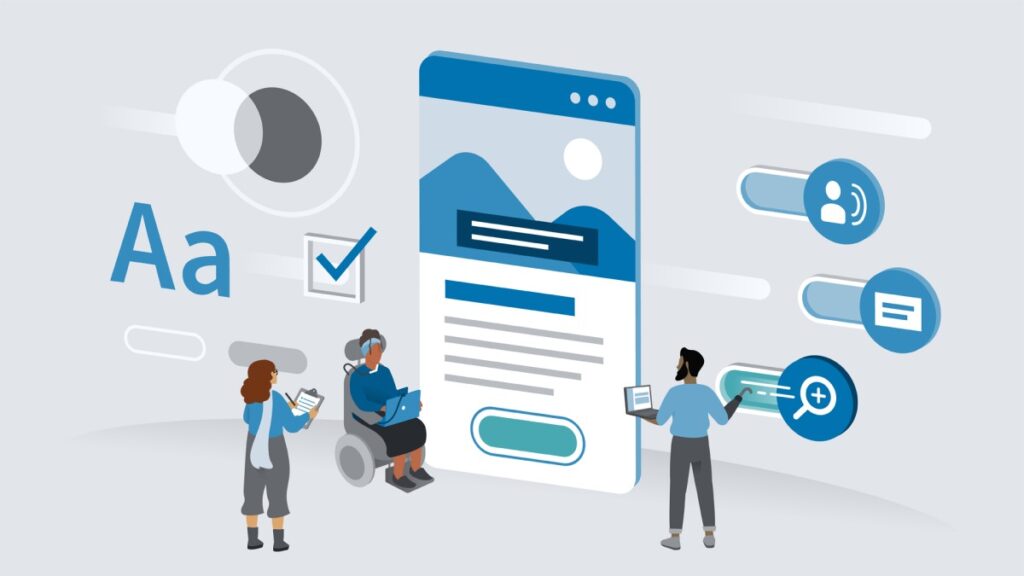
Accessibility-First Design is a practical course taught by David Luhr that explains how to prioritize accessibility across design and development workflows, helping teams build inclusive products that work well with assistive technologies and diverse user needs.
It emphasizes actionable techniques—semantic structure, accessible visual choices, interaction patterns, and accessibility testing—that learners can apply immediately to make digital experiences more usable for everyone. The course also addresses collaboration and handoff practices so teams can operationalize accessibility rather than treating it as an afterthought.
At a Glance
Accessibility-First Design is a concise course that teaches practical methods for building inclusive digital experiences, led by accessible design and development consultant David Luhr.
It focuses on prioritizing accessibility across design and development workflows, covering accessible content, visual design, collaboration, and testing to help teams integrate accessibility from the start.
| Level | Intermediate |
| Rating | 4.8 out of 5 |
| Duration | 1+ hours |
| Languages | English |
| Certificate | Certificate of Completion |
| Access | Access for as long as your subscription is active |
| Course includes |
|
| Price | Included with subscription; monthly or annual plans, free trial available |
What This Course Teaches
The course frames outcomes as practical competencies you can apply directly to product work, from content and visual decisions to team workflows and validation methods.
Learners will be able to apply accessibility-first workflows, implement accessible content and visual patterns, create accessible interactions, and conduct accessibility testing and handoffs.
How the Course Is Structured
The course is organized into seven topical sections containing 27 short video lessons that move from foundational principles to practical testing and handoff.
Overall runtime is approximately 1 hour 24 minutes, with concise lectures designed for quick, actionable learning.
Curriculum overview
01Introduction▾
Overview of course goals and the accessibility-first approach.
02Why accessibility-first design?▾
Explains the case for prioritizing accessibility in product work.
03Use an accessibility-first workflow▾
Shows a workflow to embed accessibility early in design and development.
04Cross-discipline collaboration and T-shaped knowledge▾
Covers collaborating across roles and building T-shaped accessibility skills.
05Work in parallel to reduce handoff▾
Advocates parallel workflows to minimize handoffs and rework.
06Avoid hidden content▾
Explains risks of hidden content and approaches to make it discoverable.
07Respect established patterns▾
Emphasizes using familiar interface patterns for predictability and accessibility.
08Create performant and lightweight experiences▾
Covers performance and lightweight design as accessibility considerations.
09Semantics and document structure▾
Covers semantic markup and document structure to support assistive technologies.
10Inclusive language and reading level▾
Addresses language choices and reading-level decisions for clearer communication.
11Hidden text and accessible naming▾
Shows how to manage hidden text and provide accessible names for UI elements.
12Alternate content for media▾
Explains providing captions, transcripts, and alternatives for multimedia.
13Just-in-time design▾
Introduces just-in-time design practices that support accessibility decisions.
14Accessible color▾
Covers color selection and contrast to improve visual accessibility.
15Accessible typography▾
Details typographic choices that improve legibility and readability.
16Accessible iconography▾
Addresses designing icons that remain clear and accessible.
17Accessible tap targets▾
Defines sizing and spacing guidelines for touch targets to support usability.
18Accessible interactive states▾
Explains visible focus, hover, and active states to communicate interaction.
19Accessible interaction patterns▾
Presents interaction patterns designed with accessibility in mind.
20Ergonomic layouts▾
Discusses layout choices that reduce physical strain and improve reachability.
21Embrace fluid design▾
Covers fluid, responsive design patterns that adapt to user needs.
22Respect user preferences▾
Shows how to respect system and user-level accessibility preferences.
23Manual accessibility testing▾
Outlines manual testing techniques for finding common accessibility issues.
24User testing for accessibility▾
Covers methods for conducting user tests with participants who have disabilities.
25Automated accessibility testing▾
Introduces automated tools and guidance for interpreting their results.
26Accessible design handoff▾
Explains handoff practices and documentation to help developers implement accessible designs.
27Next steps▾
Suggests next steps and additional resources for continued accessibility practice.
Audience & Requirements
The course is aimed at professionals who influence product design and delivery and who need practical, actionable accessibility guidance.
Ideal learners include designers, front‑end implementers, and product leads who already have some familiarity with UX or web concepts and want to embed accessibility into their workflows.
- UX/UI designers seeking to make interfaces more accessible.
- Front‑end developers responsible for implementing accessible patterns.
- Product managers and team leads integrating accessibility into process and handoffs.
- Content designers or writers aiming to produce inclusive, accessible content.
- Intermediate familiarity with UX or basic web concepts is recommended.
- No special software or equipment required; the course focuses on design decisions and testing approaches.
Final Verdict
Accessibility-First Design is a focused, practical course that delivers immediately usable techniques for embedding accessibility into product workflows; its concise format and hands‑on checkpoints make it a high‑value refresher or primer for experienced practitioners. It is especially worth taking for designers, front‑end implementers, product leads, and content specialists who want actionable guidance they can deploy quickly.
Given the course’s strong learner ratings, positive reviews, included certificate, and subscription-based access model, it represents good value for teams and individuals who already use the platform. If you lack platform access or are starting from no prior UX/web knowledge, weigh the subscription cost against the course’s short runtime and intermediate focus before enrolling.


 Pluralsight
 DataCamp
  Codecademy