
Introduction To Linux
Learn to use Ubuntu and Bash to automate tasks

Introduction To Linux provides a practical, hands‑on introduction to the Linux operating system, guiding learners through Ubuntu, the command line, and core shell concepts.
Designed for newcomers and professionals refreshing foundational skills, the course focuses on navigating the filesystem, using Bash utilities, writing basic Bash scripts, and managing users and permissions. By completing this course you should be able to work confidently in the shell, automate routine tasks with scripts, and perform common system operations on an Ubuntu environment.
At a Glance
Introduction to Linux is an introductory course that orients learners to the Linux operating system and practical tasks you can perform in a Linux environment, from the desktop to the shell.
The course is offered by Codecademy’s instructional team and broadly covers Linux history and distributions, installing and exploring Ubuntu, the Linux filesystem, Bash utilities and scripting, and user and permission management.
| Level | Intermediate |
| Rating | 4.3 out of 5 |
| Duration | 4+ hours |
| Languages | English |
| Learners | 30K+ learners |
| Certificate | Certificate of completion (with paid plan) |
| Access | Access while subscription is active |
| Course includes |
|
| Price | Subscription-based; paid plans required for certificate and some features |
What This Course Teaches
This course frames outcomes as practical, assessable competencies you can demonstrate in a Linux environment, from system setup to scripting and access control.
By the end of the course learners should be able to explain core Linux concepts, set up Ubuntu, navigate and modify the filesystem with Bash, write basic Bash scripts, install applications, and manage users and permissions.
How the Course Is Structured
The course is arranged as a compact sequence of seven lessons that move from conceptual introductions to practical, hands-on shell work, using short instructional units combined with embedded quizzes and exercises.
Overall the syllabus comprises 7 modules and a single practice project, with an estimated total runtime of about 4 hours.
Curriculum overview
01What is Linux?▾
An introductory module that welcomes learners and frames the course’s scope and goals.
02Introduction to Operating Systems▾
Covers basic operating system concepts to situate Linux relative to other OS families.
03Setting Up A Linux Environment▾
Guides learners through installing and configuring Ubuntu on a personal machine or virtual environment.
04Features of the Linux Desktop Environment▾
Introduces the Ubuntu desktop, the Linux filesystem layout, and methods for installing and managing applications.
05Linux Bash Utilities▾
Explores common Bash utilities and commands used to inspect, filter, and manipulate text and files.
06Bash Scripting▾
Teaches how to combine commands into reusable Bash scripts to automate routine tasks.
07Practice Bash Scripting in Linux▾
A hands-on practice module focused on writing functional Bash scripts to consolidate scripting and automation skills.
- Practice project: Build a Build Script
Audience & Requirements
The course is intended for learners who want a practical, hands-on introduction to Linux and the command line, including self-learners, students, and professionals refreshing foundational system skills. It suits people who intend to install or run Ubuntu, learn Bash utilities and scripting, and manage basic users and file permissions.
- Beginners and self-learners seeking a hands-on Linux and shell introduction.
- Developers or IT students needing practical Ubuntu and Bash experience.
- Hobbyists who want to run, customize, or administer a Linux desktop or VM.
- Learners preparing to progress to system administration or DevOps topics.
- No special prerequisites (course lists none).
- Ability to install Ubuntu or run it in a virtual machine (VirtualBox, VMware, or WSL).
- Access to virtualization software or a spare partition if installing natively.
- Optional: basic familiarity with command-line concepts will reduce the initial learning curve.
Note: The course states no prerequisites but includes Bash scripting and environment setup; complete beginners should be prepared to invest extra time on installation and basic CLI concepts to keep pace.
Final Verdict
For learners seeking a concise, hands‑on introduction to Linux, this course is a worthwhile, low‑commitment starting point. Given its solid learner reception and broad enrollment, it provides practical, task‑oriented exposure to Ubuntu, the shell, and basic scripting that most beginners can complete quickly.
Recommended for beginners, hobbyists, and professionals looking for a refresher; not a substitute for a deeper sysadmin or DevOps track. The subscription access model and optional certificate make it a convenient way to gain verified, foundational skills, while those pursuing advanced administration or job‑ready credentials should plan to follow it with more extensive, specialized training.

 DataCamp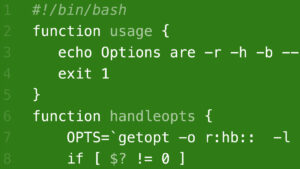
 LinkedIn Learning