Photography Masterclass: Your Complete Guide To Photography
Learn to shoot, edit, and sell better photos
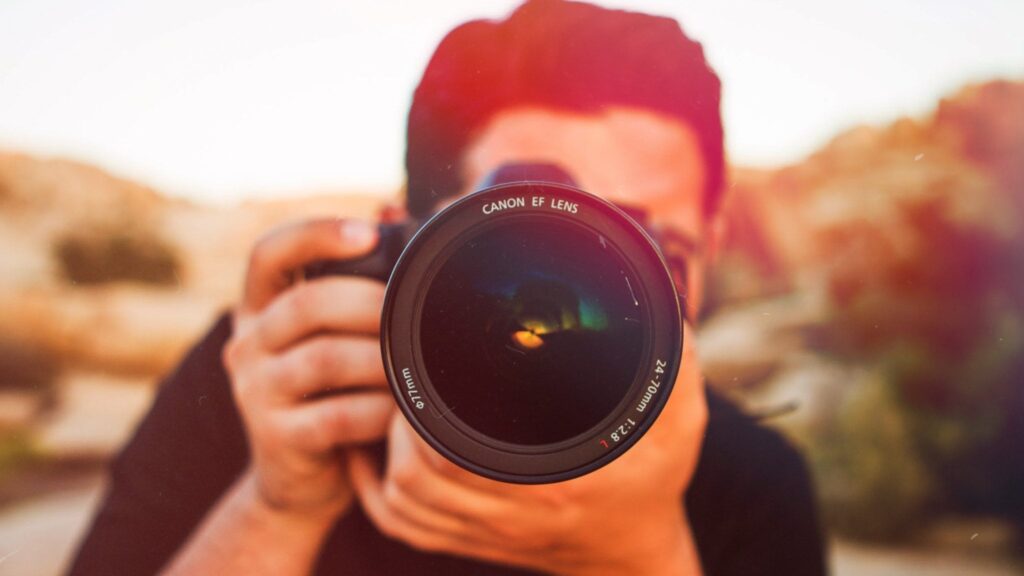
Photography Masterclass: Your Complete Guide To Photography is a comprehensive online course led by Phil Ebiner that walks learners through essential camera operation, composition, lighting, and photo editing for both smartphone and DSLR users.
The course emphasizes hands-on practice and portfolio-ready outcomes, teaching learners to apply manual exposure, refine composition, execute post-processing workflows, and pursue practical strategies to market or sell photographs.
At a Glance
Photography Masterclass: Your Complete Guide To Photography is a comprehensive online course taught by Phil Ebiner that covers practical camera operation, composition, lighting, editing, and how to market and sell your work.
The course is structured to take learners from fundamental camera concepts through advanced shooting and post-production techniques while also addressing business and portfolio development.
| Level | Beginner to Advanced |
| Rating | 4.6 out of 5 |
| Duration | 7+ hours |
| Languages | English |
| Learners | 10K+ students |
| Certificate | None |
| Access | Access while your Skillshare subscription is active |
| Course includes |
|
| Price | Included with Skillshare subscription |
What This Course Teaches
This course frames its learning outcomes as practical competencies you can demonstrate in real shooting and business contexts. Learners will be able to operate camera systems, control exposure in manual mode, compose and light images effectively, edit photos for final delivery, and apply basic strategies to sell or showcase their work.
How the Course Is Structured
The course is organized into a series of focused sections that group related lessons together, with a total of 15 sections containing 160 lessons and running about 7 hours 42 minutes in total.
Each section collects short, topical lessons so learners can progress from orientation through technical fundamentals to editing and monetization in a modular way.
Curriculum overview
01Course introduction▾
Orientation, instructor introductions, course requirements, and guidance on how to get the most from the class.
02Introduction to the Photography Basics section▾
Covers photography history, the role of modern photography, and an overview of basic tools and concepts for beginners.
03Introduction to the Understanding the Camera section▾
Explains camera types, how cameras function, shutters and sensors, and common file formats used in capture and workflow.
04Intro to the camera Anatomy▾
A closer look at specific camera models and menus, plus hands-on guidance for navigating controls on Nikon, Canon, and smartphones.
05Introduction to the Drop Auto section▾
Focuses on exposure fundamentals—aperture, shutter speed, ISO, the exposure triangle, and achieving reliable focus in different modes.
06Introduction to the Stabilization section▾
Demonstrates tripod, monopod, and handheld techniques to reduce blur and improve image sharpness in varied shooting conditions.
07Introduction to the Composition section▾
Teaches compositional frameworks—rule of thirds, perspective, framing, color, and using depth of field to convey mood.
08Introduction to the Lighting section▾
Introduces types of light, color temperature, white balance, ambient vs. flash use, and basic three-point lighting techniques.
09Introduction to the Lens section▾
Explores focal length, recommended lenses for common situations, specialty lenses, and the use of filters.
10Introduction to the Situational Photography section▾
Applies techniques to specific genres—landscape, nature, portraits, kids/pets—and includes practical tips and short exercises.
11Introduction to the Modern Photography section▾
Shows smartphone workflows, recommended apps, and composition tips tailored to social platforms and square formats.
12Introduction to the Photo Editing section▾
Covers editing tools and workflows in Lightroom, Photoshop, and iPhoto, including importing, rating, exposure/color adjustments, and exporting.
13Introduction to the Making Money with Photography section▾
Discusses career paths, branding, building a portfolio website, pricing, and strategies for finding freelance or full-time work.
14Introduction to the Sell Your Photographs section▾
Reviews stock-photo sites, licensing basics, platforms for selling imagery, and practical examples of successful online sales.
15THANK YOU!▾
Final closing remarks and encouragement for continued practice and application of learned skills.
Audience & Requirements
This course is aimed at learners from complete beginners to experienced hobbyists who want a practical, project-focused path from camera basics through editing to monetizing work. It suits smartphone shooters, amateur photographers who want stronger composition and lighting, and creatives pursuing freelance or stock-photo opportunities.
- Complete beginners learning camera fundamentals
- Smartphone photographers improving everyday shooting
- Hobbyists seeking better composition and lighting skills
- Aspiring freelance or stock photographers building a portfolio
- A camera (smartphone, point-and-shoot, or DSLR/mirrorless)
- Basic photo-editing software recommended (Lightroom or Photoshop; free trials acceptable)
- No prior photography experience required
Final Verdict
Photography Masterclass is a wide-ranging, hands-on course that offers practical skills across shooting, editing, and selling images and represents strong value for learners who have or plan to maintain the platform subscription.
It is well suited to beginners and hobbyists who want a single, pragmatic roadmap from fundamentals to monetization, and it aligns well with self-directed practice rather than formal credential needs. Those seeking an accredited certificate or a one-time-purchase, standalone course may want to consider alternatives, but subscribers looking for comprehensive, applied instruction will find this course a solid choice.


 LinkedIn Learning